The Free 3D Configurator for USM Haller Furniture
Here on Modula24 there is a free 3D Configurator with which you can assemble your dream piece in USM Haller style - completely in real time and in the browser. No app needed, no registration, just get started.
→ Go directly to the 3D Configurator
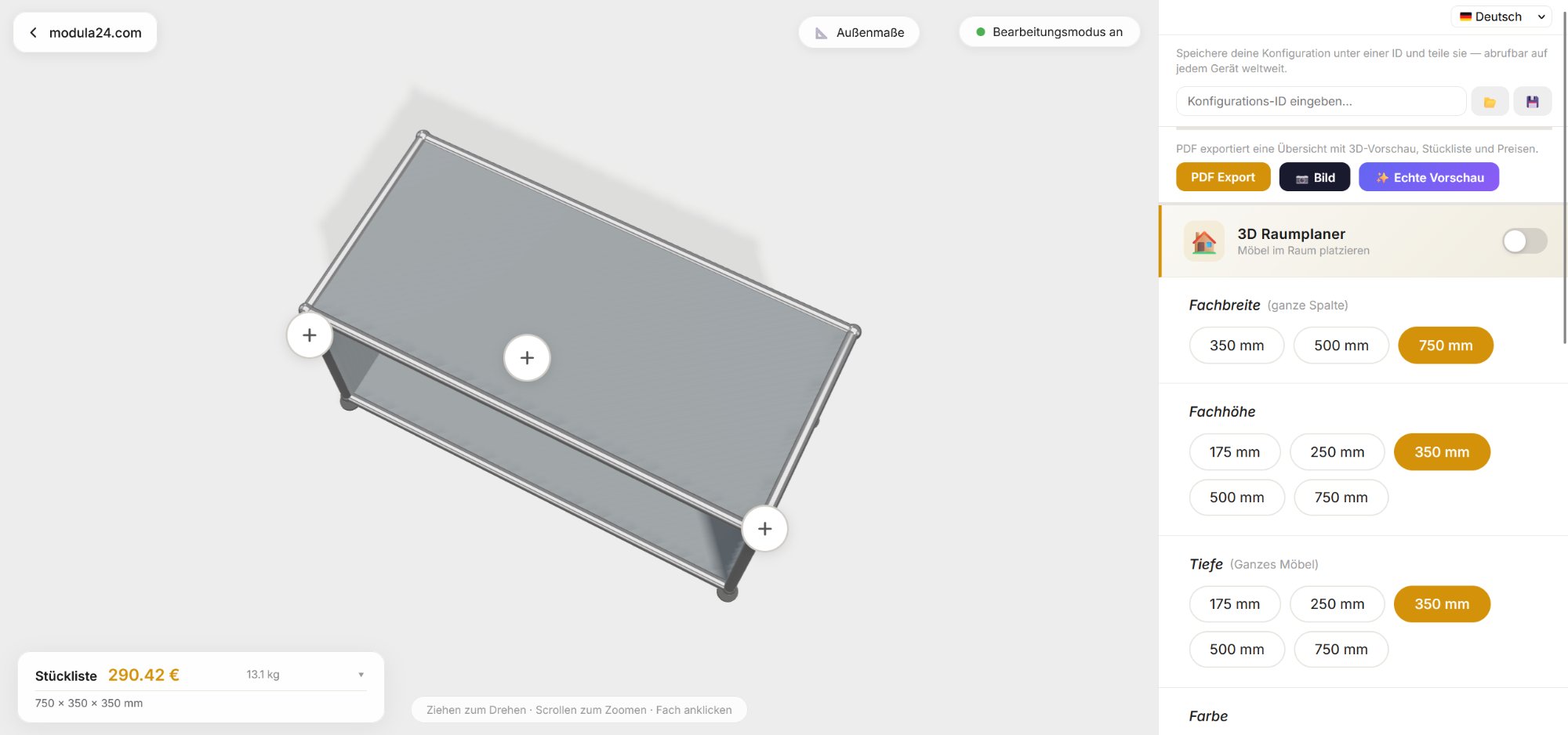
What can the Configurator do?
At its core, you assemble your furniture cell by cell. You set width, depth and height for each cell and see immediately in 3D how the result looks. You can rotate the view, zoom and look at it from all sides.
Every setting can be applied to a single cell or to the entire piece at once. For larger furniture this saves a lot of time: define the configuration once and apply to all cells with a single click.
Colors
All 14 official USM Haller colors are available - from Pure White through Golden Yellow and Olive Green to Graphite Black. The color can be set either for a single cell or for the entire piece at once. So you could configure a sideboard in anthracite with a single yellow drop-down door as an accent.

Shelves in metal and glass
For each cell you choose which sides have a shelf: front, back, left, right, top, bottom - all individually controllable. Shelves come in two materials:
- Metal shelves - the classic, in all 14 USM Haller colors
- Glass shelves - the premium variant with an additional glass shelf holder, ideal for display cabinets and visual accents
The material choice (metal or glass) is made per shelf - so you can combine a classic USM Haller sideboard with a single glass shelf at eye level.
Inner shelves and mid shelves
In addition to the classic outer shelves (top, bottom, front, back, left, right), you can also add inner shelves and mid shelves - horizontal shelves inside a cell for further subdivision. Each is also available in metal or glass.
This lets you use tall cells efficiently without adding a new cell - perfect for books, files or collectibles.
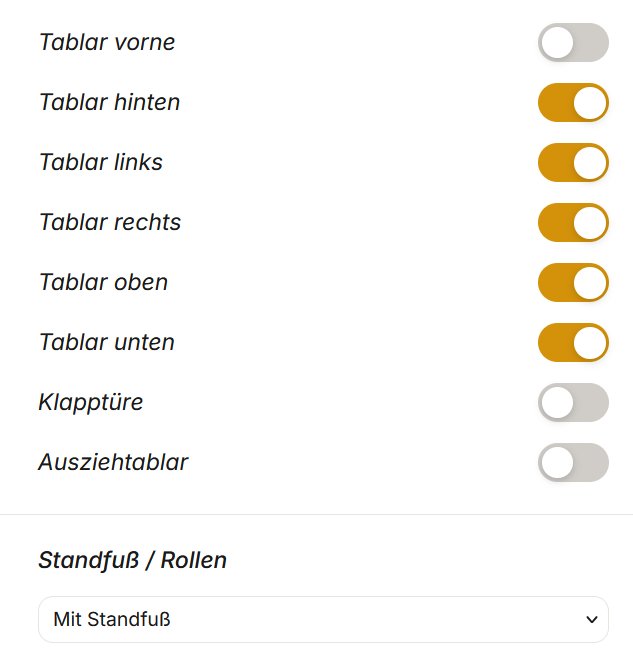
Drop-down doors with lock and handle
Every cell can be equipped with a drop-down door. For doors you choose with or without lock. If needed, the matching spring hinge set and door handle set are included directly in the parts list so nothing is forgotten.
Pull-out trays
Pull-out trays in 75×35 cm are perfect for home and office use - for example as a keyboard tray on a desk or as a helper surface in filing cabinets.
Edit tubes individually
In tube edit mode you can remove or restore individual connecting tubes. This allows unusual constructions that deviate from the standard grid - such as open passages in room dividers or special structures for special requirements.
Feet and casters
At the bottom you have the choice: feet, swivel casters (up to 150 kg load capacity) or chrome casters. With this you can make even heavy sideboards mobile.
Multiple furniture pieces at once
You are not limited to a single piece of furniture. With a single click you add another USM piece and can thus plan an entire office or living room.
The 3D Room Planner
Probably the coolest feature: you can place your USM Haller pieces in a virtual room. The room size (width, depth, height) is freely adjustable. You see walls, floor and ceiling.
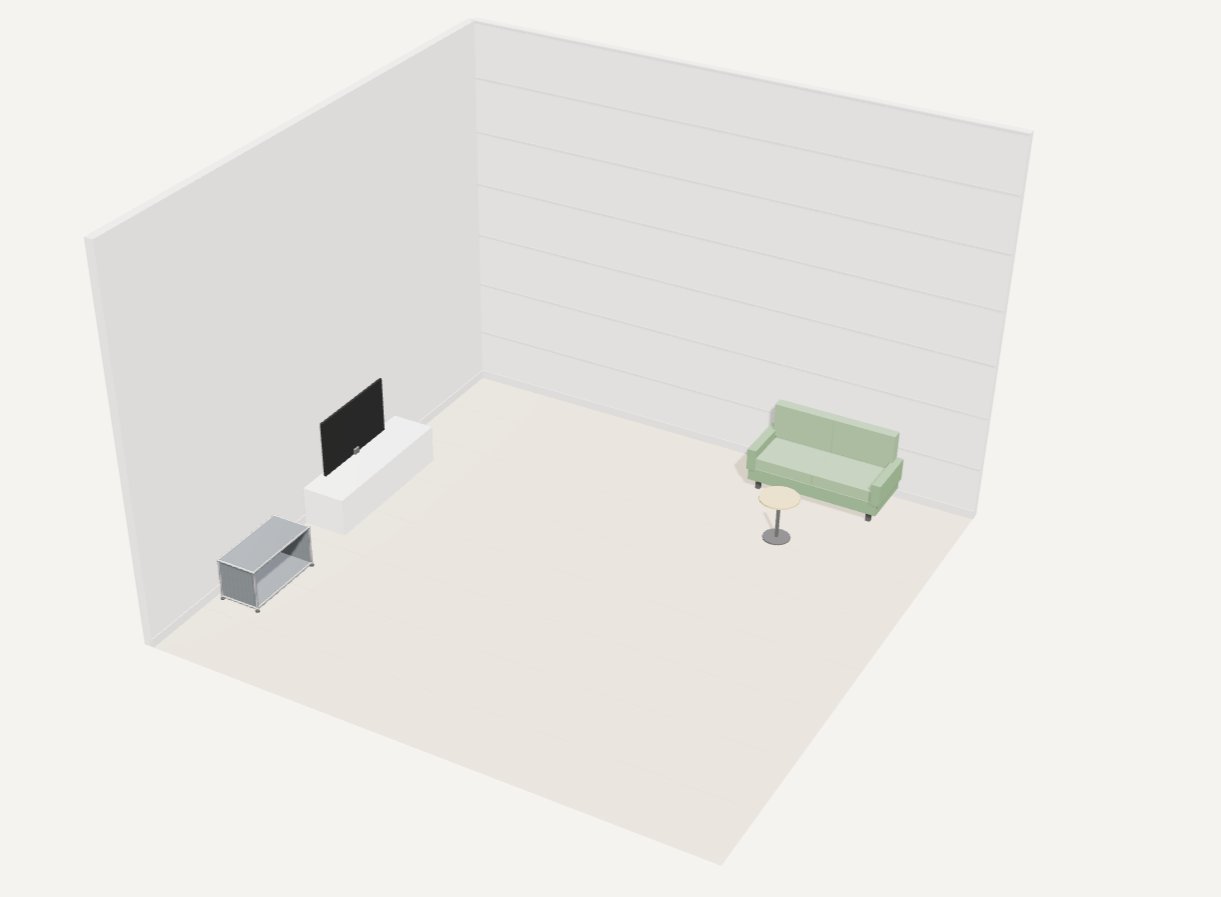
Plus a huge inventory of furnishings to place:
- Office: desks, office chairs, filing cabinets, whiteboards, conference tables
- Living room: sofas, armchairs, coffee tables, TV boards, bookshelves, floor lamps
- Bedroom: beds, wardrobes, dressers, nightstands
- Kitchen: kitchen units, islands, refrigerators, stoves, sinks
- Bathroom: sinks, bathtubs, showers, bathroom cabinets
- Structure: additional walls, room dividers, windows, doors
- Decoration: plants, rugs, pictures, clocks
All objects can be freely moved, rotated and removed in the room. This gives you a realistic picture of how the USM Haller furniture will look in your own room.
Parts List and Prices
The Configurator automatically calculates a complete parts list of all required parts: tubes, connectors, balls, shelves (metal and glass), inner shelves, mid shelves, glass shelf holders, drop-down doors, spring hinge sets, door handle sets, feet and casters - all with quantity, weight and price. So you know immediately what the piece will cost and which parts to order.
The displayed prices are the Limics24 prices - the most competitive on the market. With other dealers you typically have to budget 30 to 80% more. The Configurator thus shows the real price advantage directly in comparison.
Save, Share and Export

Once you are happy with your configuration, there are several options:
- Save under an ID - The configuration gets a unique 12-character ID. You can reload it later, open it on another device, or share it with friends.
- PDF Export - Creates a professional PDF with 3D preview, complete parts list, all prices, and a unique configuration ID. Perfect to send to a dealer or print out.
- Image Export - Saves a screenshot of the current 3D view.
- AI Preview (Real Preview) - Generates a photorealistic preview of the configured piece. So you see in advance how it will look in reality.
Send inquiry directly from the Configurator
If you want a quote or have questions about your configuration, you can send an inquiry directly from the Configurator. Just enter your email address, optionally add a message, and the complete configuration is transmitted along with the configuration ID. The reply typically arrives within 6 hours.
Overall dimensions at a glance
With one click you can display the overall dimensions of the piece - width, height and depth in centimeters. Practical to check whether the piece fits in the desired spot.
Multilingual
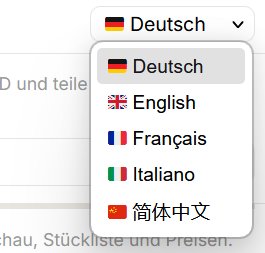
The Configurator is available in 5 languages: German, English, French, Italian and Chinese.
Who is the Configurator for?
Not only for end customers planning a piece for home. The Configurator is also a professional tool for resellers, architects and interior designers. Anyone who wants to show their customers in advance how a finished USM Haller piece will look in their room has a convincing presentation tool with the 3D Room Planner and AI Preview. Save the configuration, export the PDF, send it to the customer - done.
Order parts
Once the configuration is set, you can order the parts from the parts list directly from the dealer of your choice. We recommend Limics24 - best price-performance ratio, fast delivery, all parts in stock in large quantities.
→ Try out the 3D Configurator now
Frequently Asked Questions
In the 3D Configurator you assemble your furniture piece to your liking - dimensions, colors, shelves, doors and pull-out trays. You see a real-time 3D preview, parts list and estimated price. You can save, share and export your configuration as PDF.
Yes, the 3D Configurator exports a professional PDF with 3D preview, complete parts list and a unique configuration ID. Perfect to send to a dealer or discuss with an architect.
Yes, each configuration is saved under an ID. The link works on any device worldwide - ideal to share configurations with friends, colleagues or your interior designer.